AI Invoice & Estimate Maker
- 4.3
- Rating
- 10.00K
- Installs
- Free
- Price

 Analysis by App-foxy
I came away from AI Invoice & Estimate Maker with the impression that its biggest strength is not the novelty of the AI label, but the way it aims to shorten a task that small-business owners usually postpone. It is a free business app from HorizonSoft for preparing invoices and estimates, and it is available to an Everyone audience. After using it as a practical tool rather than treating it like a quick novelty download, I found that its value depends on whether you send documents regularly enough to build a habit.
The first few sessions are easy to appreciate. When a customer asks for a written estimate while I am away from a desk, a phone-based invoice maker feels much more useful than opening a spreadsheet, searching for an old document, and trying to format everything on a small screen. The app’s short store description calls it an AI invoice maker, but I would judge it less by that phrase and more by whether it helps me produce a clear, usable business document without unnecessary friction.
From quick first impression to a dependable business habit
I use the first impression as a starting point, not a verdict: a billing app earns trust when I can return to it and handle the same customer workflow without second-guessing my records. In this section, I look at the habits that can make quick document creation genuinely dependable, including a simple way to check whether the tool still fits as work becomes more involved.
You May Also Like

 Blood Strike: 2.5 Anniversary
Blood Strike’s Loadouts Turn Every Drop Into a Tactical Gamble
A close look at Blood Strike’s custom loadouts: how fast access to signature weapons reshapes its battle royale rhythm, rewards preparation, and narrows the gap between fights.

 Pandora - Music & Podcasts
Pandora’s Music Is Easy to Start, but Harder to Recover
Pandora’s strength is its low-effort path from a seed to a station. Its weak spot is how much confidence it asks you to place in connection, setup, and quiet recovery.

 8 Ball Pool
8 Ball Pool Is Built on Rivalries, Rematches, and Routine
A close look at the rivalries, rematches, shared routines, and unanswered safety questions that turn a quick pool match into a persistent mobile community.

 Samsung Music
Samsung Music’s Quiet Strength Is Playing What You Already Own
Its reach comes less from spectacle than from dependable access to a personal library. That simplicity is both the app’s strongest retention engine and its ceiling.

 AccuWeather: Weather Radar
AccuWeather Review: A Quick, Clear Forecast for Everyday Decisions
For everyday plans, the best forecast is the one you can understand quickly. AccuWeather makes rain timing, radar, and local conditions easy to act on, with a few trade-offs.

 Hill Climb Racing
Why Hill Climb Racing Still Turns Crashes Into One More Run
A tiny car, a bumpy hill and one more upgrade: Hill Climb Racing keeps resurfacing because its simple chaos makes every near-miss feel personal.
More From Our News Desk
View All News


Why the first week feels productive
During the first week, the appeal is straightforward: I can keep invoicing work close at hand instead of waiting until I return to a computer. That matters to tradespeople, freelancers, consultants, tutors, repair workers, and other independent professionals who may finish a job in one place and discuss the next job somewhere else. An estimate made at the right moment can be more useful than a beautifully designed document created several hours later.
The app’s focus on both invoices and estimates is important. These are related documents, but they serve different stages of a customer relationship. An estimate helps me explain expected work and cost before approval; an invoice records what is actually due afterward. Having both tasks in one business app makes more sense than using one tool for estimates and a separate one for billing, especially when I am working alone.
I also like the possibility of treating each document as part of a repeatable workflow rather than a one-off form. I would begin by preparing the customer details and the work description, then check the amount carefully before sending anything. That final review is essential. AI assistance can make drafting feel quicker, but it should not replace my responsibility for quantities, wording, tax treatment, payment terms, or the difference between an estimate and a final charge.
A useful first-week test is to create documents for three different situations: a simple service call, a multi-item project, and a revised estimate. That exposes whether the app fits the way I actually work. A tool that handles only a basic one-line job may feel impressive on day one but become awkward when a project needs clearer separation between labor, materials, optional work, and the amount that is genuinely being requested.
Who gets the most from the app
I see the strongest fit among people who need professional-looking business paperwork but do not want to build a bookkeeping system from scratch. A new freelancer may want something more structured than a handwritten receipt. A mobile service provider may need to turn a completed visit into an invoice before driving to the next appointment. A small creative business may use estimates to set expectations before beginning work.
It is also a reasonable option for someone who is still developing a billing routine. The important benefit is not simply making an invoice once; it is creating a consistent sequence: record the customer, describe the work, review the total, send the document, and keep a record of what still needs attention. If the app helps me follow that sequence every time, it earns a place on my phone.
On the other hand, I would not choose it automatically for a company with complicated accounting requirements, several staff members, extensive inventory, or strict links between sales, payments, taxes, and financial reporting. A dedicated accounting platform is usually a better choice when invoicing is only one part of a larger operation. This app is more convincing as a focused document-making companion than as a complete replacement for every business system.
The practical comparison with familiar alternatives
The usual alternative is a spreadsheet. Spreadsheets offer flexibility, but that flexibility creates work: I have to maintain a template, protect formulas, keep customer information organized, and make sure the final document looks intentional. They are useful when I need custom calculations or a detailed internal record, but they can be unnecessarily manual for a quick estimate from a phone.
Another alternative is a word processor. It may produce a polished page, yet repeated editing is tiring. Each new customer can mean copying an old file, changing the address, checking the date, updating the totals, and hoping no previous customer’s information remains in the document. A dedicated invoice tool is preferable when the same type of work is billed repeatedly.
Online accounting suites are stronger when I need payment reconciliation, tax reporting, expense tracking, or collaboration. Their trade-off is complexity. They may require more setup and more attention than a solo operator wants for occasional invoices. AI Invoice & Estimate Maker sits in the middle: more purpose-built than a blank document, but less suited to being the central financial control room for a growing company.
Where the AI label helps, and where it does not
The AI angle is most useful when it reduces the effort of turning rough job information into readable business language. I may know what I did in plain words but struggle to phrase it clearly for a customer. A drafting aid can help turn “replace damaged fitting and test line” into a more understandable description, provided I check that the wording still reflects the work accurately.
That convenience has a boundary. I would never let generated wording decide whether a job is complete, whether a material is included, or whether an extra charge is justified. The safest workflow is to use assistance for presentation and organization, then make the commercial decisions myself. Speed is valuable only when the final document remains accurate and specific.
A less obvious benefit is consistency. If I describe similar services in a similar way, customers may find my estimates easier to compare over time. Consistent wording also makes it easier for me to notice when a new request falls outside the normal scope. In that sense, the app can support better habits even when the AI itself is not doing anything complicated.
What keeps it useful after the novelty fades
Month-to-month value comes from repetition. The app has a reason to stay installed if I send invoices every week, prepare estimates for new work, or need to respond while traveling between appointments. It becomes less compelling if I only bill a few times each year, because I may forget how I prefer to structure documents and have to relearn the process each time.
I would judge recurring value by three questions. Can I start a document quickly? Can I review it without missing important details? Can I return to my business routine later without feeling that the app has become another administrative chore? Those questions matter more than the initial excitement of an AI-assisted workflow.
The current version is 9.2, which gives the app a mature-looking version label, but a version number alone does not guarantee that every workflow will suit every business. I would still spend time establishing my preferred document style and checking how the app handles the kinds of estimates I send most often. A tool becomes dependable through a tested routine, not through a number shown on its store page.
For recurring work, I would create a small personal checklist outside the app or keep one in my business notes. Before sending an invoice, I would verify the customer name, service description, quantity, total, payment expectations, and whether the document is actually an invoice rather than an estimate. This may sound basic, but it prevents the most damaging kind of speed: sending something quickly and correcting it later.
Maintenance is lighter than bookkeeping, but it is not zero
The maintenance burden is moderate. A focused invoice app should reduce formatting and document-preparation effort, but it cannot maintain my business for me. I still need to keep customer information current, review old estimates, follow up on unpaid invoices, and make sure my pricing language matches the way I currently work.
That distinction is important for anyone expecting automation to solve cash-flow problems. Creating an invoice is not the same as collecting payment. Preparing an estimate is not the same as winning the job. The app can support those stages, but I remain responsible for the follow-up and for deciding when an estimate needs to be updated or withdrawn.
I would also avoid putting every piece of business administration into a single mobile app without a broader record-keeping plan. If the business grows, I may eventually need accounting software or a separate archive. The sensible approach is to use this app for the documents it is designed to create while maintaining a reliable overall system for financial records and obligations.
The free price makes experimenting easy, but the app includes in-app purchases ranging from $2.99 to $139.99 per item. That wide range means I would inspect the purchase screen carefully before committing to a paid option. A casual user may be happy with the free experience, while a frequent professional may consider an upgrade worthwhile if it removes a repeated limitation. The right decision depends on usage, not on the presence of a premium tier alone.
Small sources of fatigue that appear over time
The first source of fatigue is repetitive checking. Invoices are unforgiving documents: a small mistake in a customer name, amount, or service description can create confusion. Even if the app makes creation faster, I still need to proofread every document. After dozens of invoices, that review can feel like the very administrative work I hoped to escape.
The second is the difference between a clean document and a complete business process. I may be able to prepare an estimate quickly, but I still need a way to decide which estimates are awaiting approval, which jobs have changed scope, and which invoices have been paid. If I expect the app itself to provide a full operational dashboard, I may find the experience too narrow.
The third is the possibility of overusing generated language. Customers generally need clear descriptions, not impressive ones. If an AI-generated sentence sounds polished but hides what is included, it can make an estimate less useful. I prefer short, concrete wording that identifies the task and its boundaries. The app is at its best when it helps me communicate plainly, not when it encourages unnecessary elaboration.
A fourth issue is the temptation to upgrade before understanding the free workflow. Because the app is free to install and offers paid items, I would first test it with real but non-sensitive examples, learn which steps I repeat, and then decide whether payment solves a genuine problem. Paying for features I do not use would turn a time-saving tool into another monthly or occasional expense without a clear return.
A realistic day-to-day scenario
Imagine I run a small home-repair service. In the morning, a customer asks for an estimate to replace a fixture and inspect related fittings. I can outline the work while the details are fresh, separate the expected tasks, and review the total before sending the estimate. The customer then adds a second request. Instead of editing a casual text message and hoping the numbers are clear, I can revise the document so the changed scope is visible.
After the job, the final invoice should reflect what was actually completed rather than simply repeating the estimate. That is where discipline matters. I would compare the original scope with the finished work, remove anything not performed, add approved extras, and check the final amount. The app can make the document preparation convenient, but the comparison between planned and completed work still requires judgment.
This scenario shows the app’s lasting usefulness more clearly than a one-time test. It supports a chain of related actions across the customer relationship: setting expectations, updating scope, and requesting payment. It does not eliminate the need to communicate, but it gives those conversations a clearer written foundation.
Compatibility, cost, and suitability before installing
The app requires Android 7.0 or later, so people using a relatively old Android phone should check that their device meets the requirement before planning around it. It is listed as free, with optional in-app purchases, and its Everyone age rating makes it broadly accessible for business use. Those details make the entry barrier low, especially for a sole proprietor who wants to try a dedicated tool without immediately buying a business subscription.
Its average rating is 4.3 from around 233 ratings, and it has passed the threshold of 10 thousand installs. I read those figures as signs of genuine interest rather than proof that it will fit every workflow. The number of ratings is still modest compared with widely established accounting products, so I would make the final decision based on my own document needs and the app’s behavior during a short trial period.
The developer is HorizonSoft, and the app was released on October 16, 2025. Since it is a relatively recent product in practical terms, I would be especially attentive to how well it fits my routine over several billing cycles rather than deciding from the first attractive document. Long-term trust comes from predictable use, clear records, and fewer corrections—not just from a modern interface or an AI-oriented description.
Who should skip it
I would skip it if my business needs deep inventory management, several user roles, extensive payment reconciliation, or formal accounting reports. I would also look elsewhere if I already rely on an established accounting suite and do not want another place to create customer documents. Adding a separate app can create duplicated records, which is worse than a slightly slower workflow inside one connected system.
It may also be a poor fit for someone who sends only occasional invoices and already has a carefully maintained template. In that situation, learning a new workflow may not save enough time to justify the change. Likewise, anyone uncomfortable reviewing AI-assisted wording should use a conventional template or a more controlled accounting tool instead.
My long-term verdict
After the first-week appeal wears off, AI Invoice & Estimate Maker earns lasting space mainly for independent workers who regularly move between estimates and invoices. Its strongest case is practical: it can bring document preparation into the moment when a customer is ready to discuss work, rather than leaving billing until later. That can make a small business look more organized and help the owner follow a repeatable routine.
I would not treat it as a complete accounting solution, and I would not hand over commercial judgment to its AI assistance. The maintenance work, proofreading, follow-up, and record keeping remain mine. The optional purchases also deserve a careful look before spending, particularly for users who only invoice occasionally.
My recommendation is to try it with a realistic sequence rather than a single test invoice: prepare an estimate, revise the scope, turn the completed work into an invoice, and review how that routine feels after several uses. If it removes repeated formatting work without creating new record-keeping confusion, it is a sensible free business app to keep. If the business needs connected accounting, complex reporting, or team-wide controls, a fuller accounting platform will be the better long-term home.
FAQs for AI Invoice & Estimate Maker
01What is AI Invoice & Estimate Maker used for?
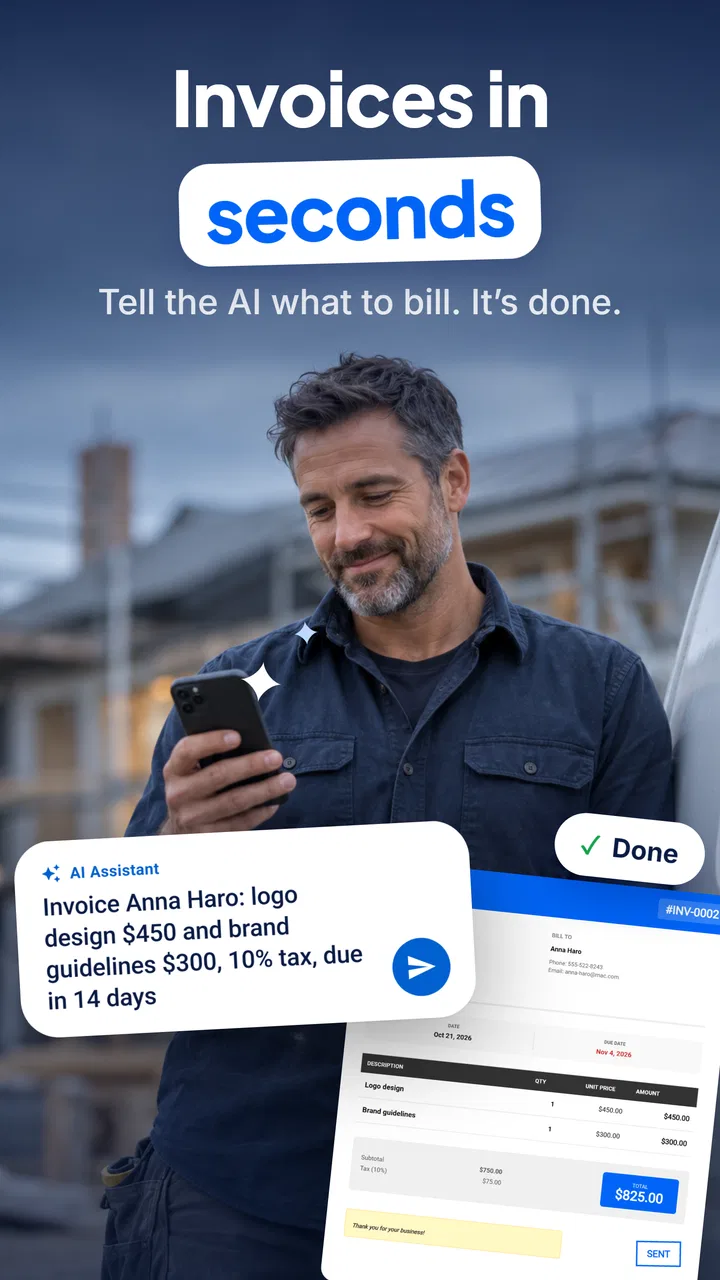
AI Invoice & Estimate Maker is designed to help freelancers, contractors, small businesses, and service providers create professional invoices, estimates, quotes, and receipts from a mobile device. After reviewing the app, its main benefit is reducing repetitive administrative work by letting you enter customer, service, pricing, tax, and payment details in one place, then generate documents that can be shared with clients.
02Can I create and customize invoices and estimates with my business information?
Yes, the app generally allows you to add important business details such as your company name, logo, address, contact information, tax details, and payment instructions. You can also adjust line items, quantities, prices, discounts, taxes, notes, and due dates. Customization options may vary depending on the version or subscription plan, so it is worth checking which templates and branding features are available before downloading.
03Does AI Invoice & Estimate Maker use artificial intelligence to create documents?
The AI features are intended to make document creation faster by helping organize information, suggest descriptions, or turn basic service details into clearer invoice and estimate content. However, users should always review the generated information before sending it to a customer. AI can misunderstand quantities, prices, tax rates, or service descriptions, so the app should be treated as an assistant rather than a replacement for careful financial checking.
04Can I send invoices to customers and keep track of payments?
The app is built to support common invoicing tasks, including saving documents, exporting them, and sharing invoices or estimates with customers through available phone or email options. Depending on the current release and plan, it may also provide payment status tracking, reminders, recurring invoices, or records of paid and unpaid documents. Confirm the exact payment-management features in the app listing before relying on it for bookkeeping.
05Is AI Invoice & Estimate Maker free to download and safe for business data?
The application may be available to download at no initial cost, but some advanced templates, AI tools, exports, cloud storage, or unlimited document features can require a subscription or in-app purchase. Because invoices contain sensitive customer and business information, review the privacy policy and requested permissions before using it. Also enable device security and keep backups if the app becomes part of your regular accounting workflow.
Pros
- Creates professional invoices and estimates in minutes.
- AI assistance helps speed up invoice and quote preparation.
- Useful templates give documents a polished
- consistent appearance.
- Supports organized tracking of payments and outstanding invoices.
- Convenient for freelancers and small businesses working on mobile.
Cons
- Some advanced features may require a paid subscription.
- AI-generated details should be checked before sending to clients.
- Customization options may be limited compared with desktop software.
- Cloud features depend on a reliable internet connection.
- Not ideal for companies needing complex accounting or inventory tools.

AI Invoice & Estimate Maker
Gallery